Problem: The U.S. education system is unable to keep up with the technology surrounding it.
Solution: Wonderly! An augmented reality app, capable of helping students learn using sensory-rich experiences.
As a former educator, I saw Wonderly as a valuable tool for growth, recognizing the importance of platforms that foster learning and connection. Being involved in its early stages gave me the opportunity to help shape the product's direction and ensure it became something truly useful for both learners and professionals.
Role: Research, UI Design, Prototype Lead
Platform: Mobile App (iOS / Android)
Tools: Figma, Interviews, Usability Tests
Deliverables: Research Data, Wireframes, Mockups, Prototypes
Our target users include children grades K-5, and their teachers.
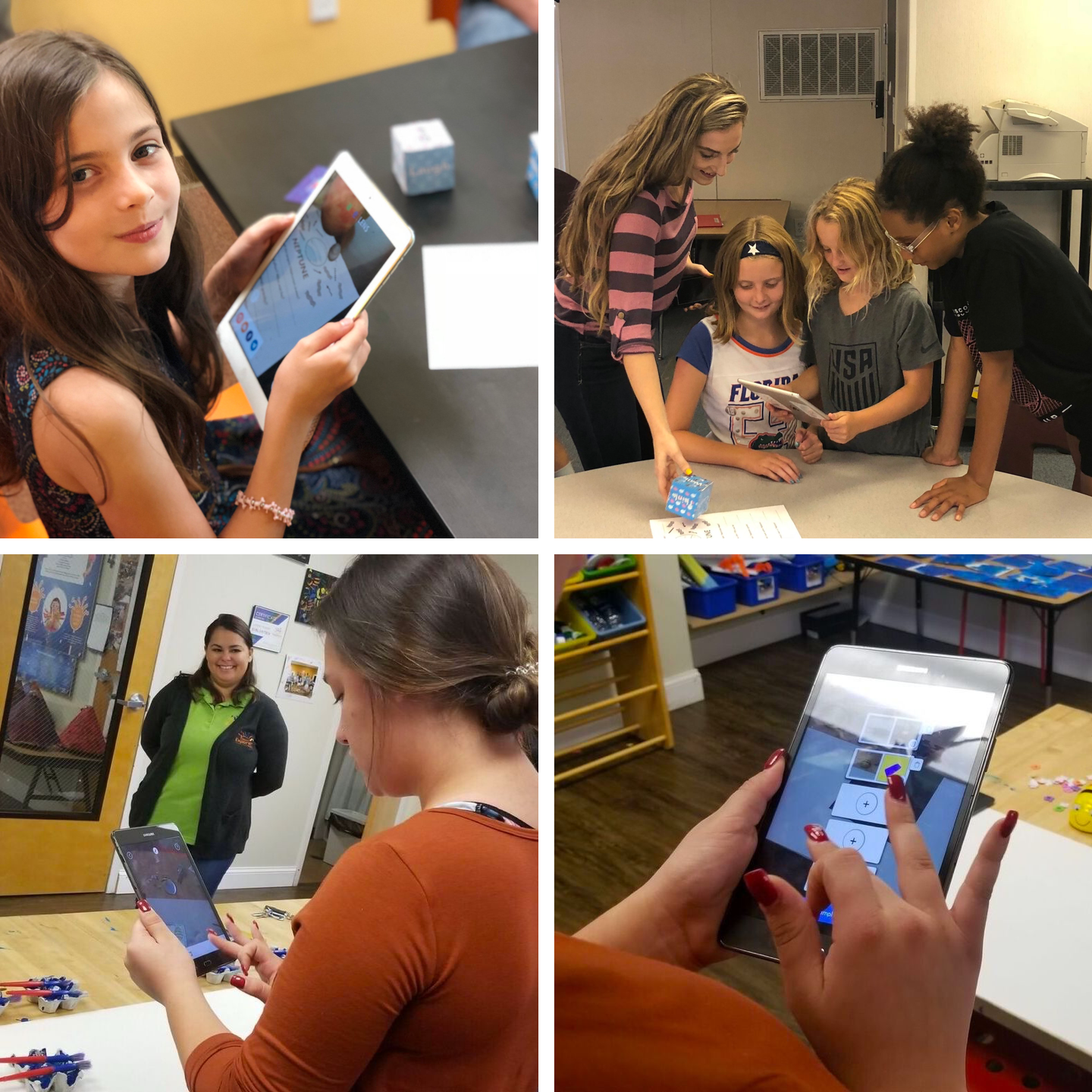
To help forerun this project, we partnered with The Amazing Explorers Academy (AEA), who provided us with invaluable hands-on testing. Our pilot users were a fourth grade class, including 15 children, and 2 teachers.
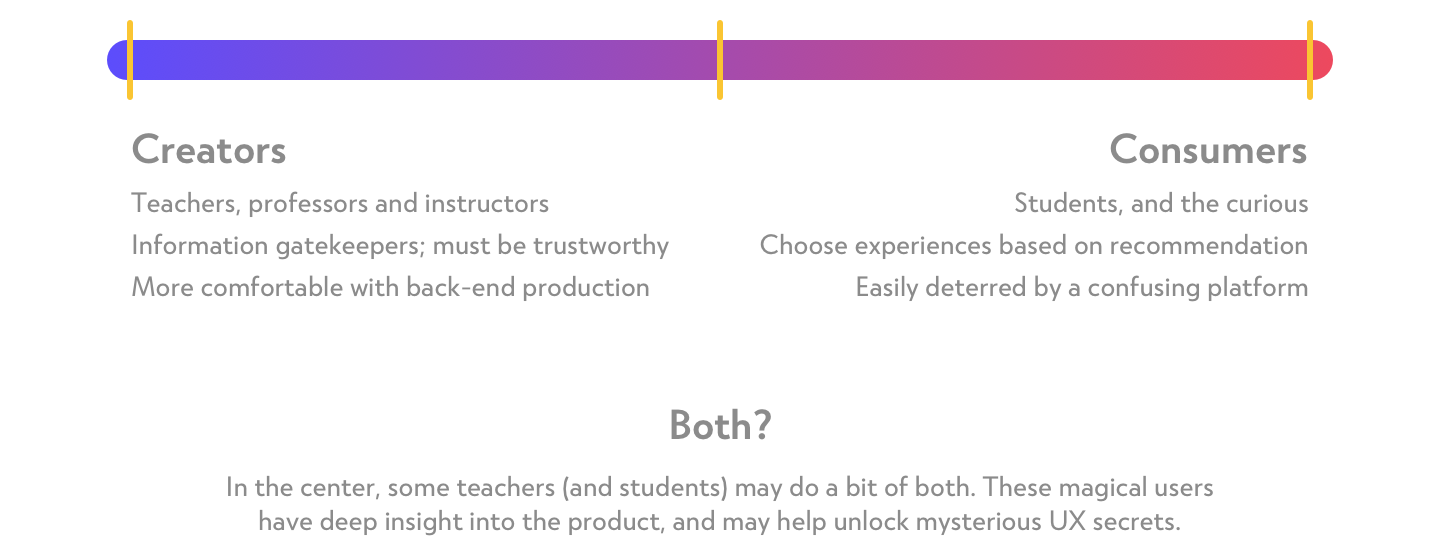
Students: We structured the pilot by splitting the students: half explored the targets we designed, while the rest stayed with the instructor for assessment.
Teachers: We allowed the instructors to use Wonderly, and later walk the second half of the class through a custom Experience we built.
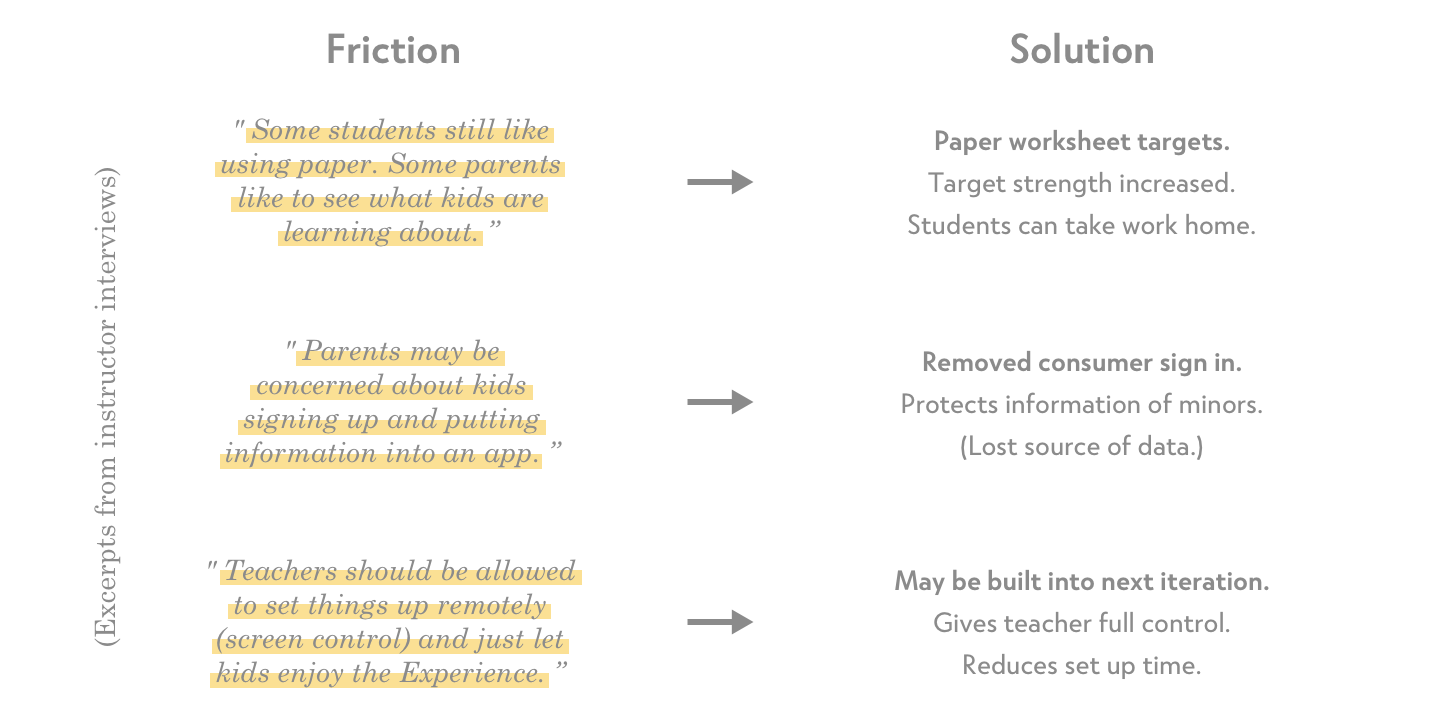
After finishing, we conducted one-on-one interviews with the instructors. Encouraging candid feedback on the app's strengths and shortcomings, some of which stood out as especially insightful:
Challenge #1: Our first challenge was the complexity of the UI. Children struggled to understand it, which could create an unnecessary cognitive load.

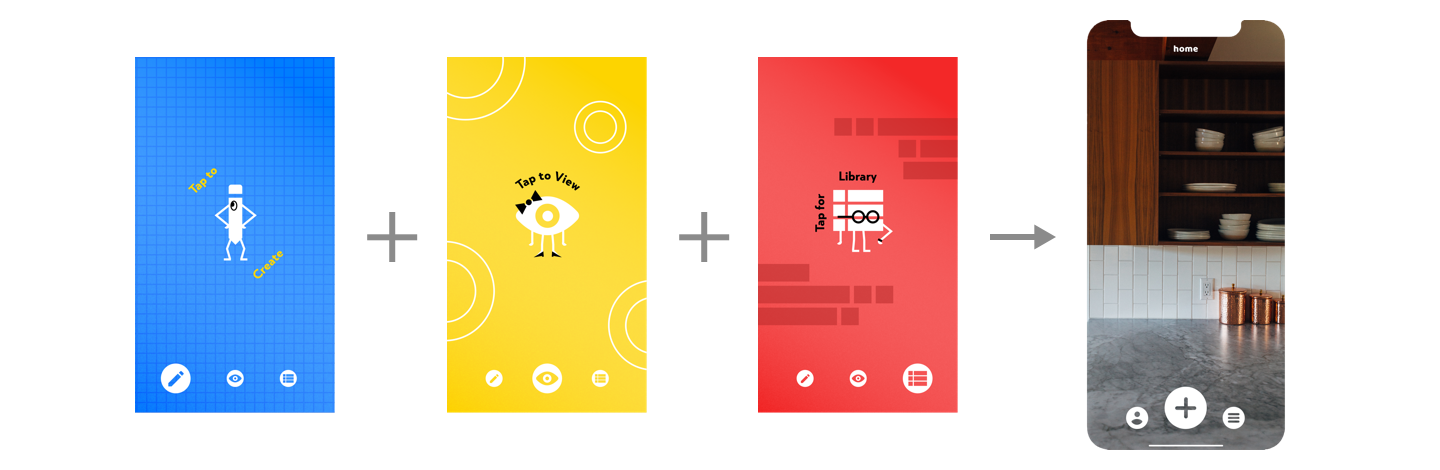
Solution #1: To streamline the experience, we placed our main interface directly on top of the camera feed, much like Snapchat. This approach minimized unnecessary taps and gave the app an authentic AR presence.
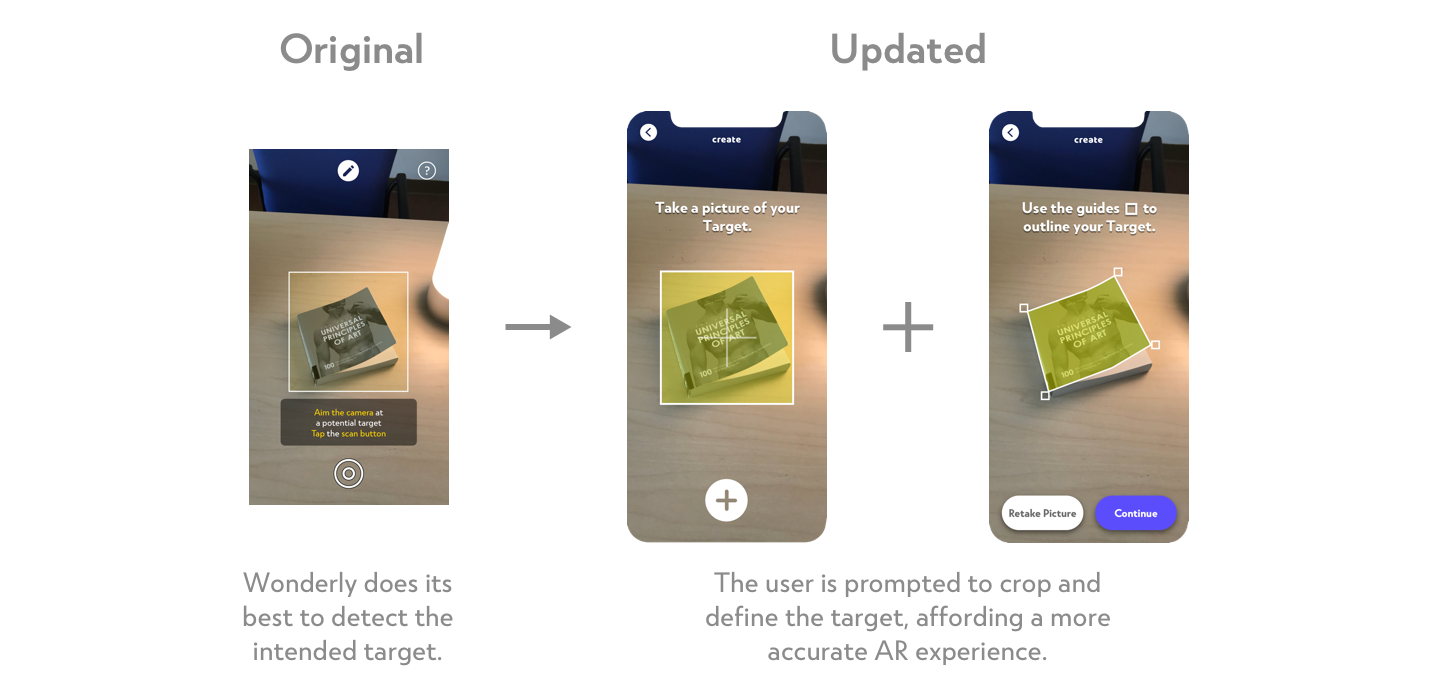
Challenge #2: Our second challenge came from the target selection process. To choose a target, users aimed the camera's hitbox at it and took a picture. The object inside the hitbox was then set as the default target.

Users sometimes snapped low-strength targets, which caused placed content to behave unpredictably. It would shift around or disappear, making the interaction unreliable.
Solution #2: To address this, we replaced default hitbox targeting with a cropping tool, giving users precise control to define their target from the captured image.
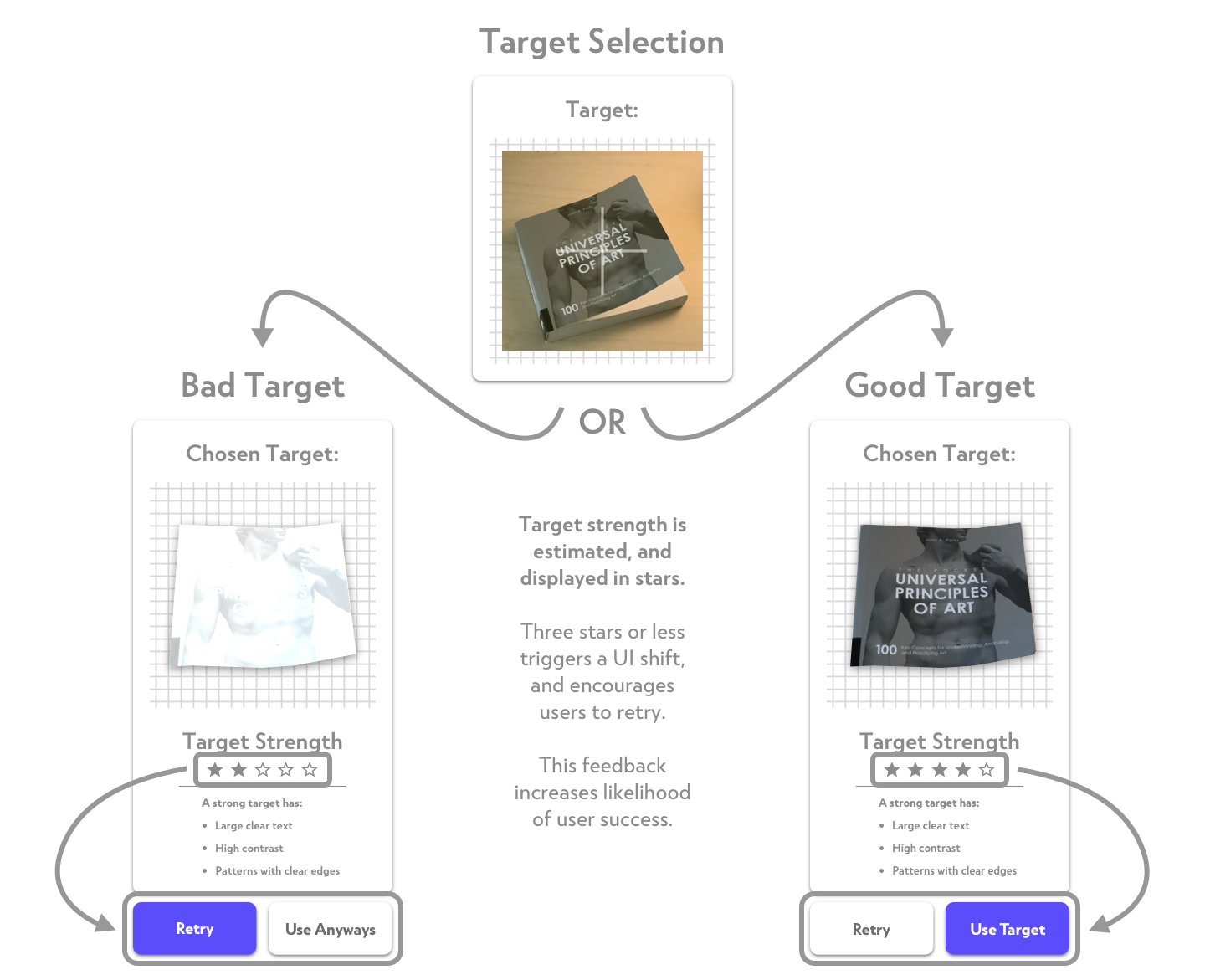
To support users further, we added a “Target Strength Rating” feature along with “Target Tips,” guiding them on the qualities of a strong target.
The “Target Strength Rating” ties directly into the UI, funneling users into one of two experiences depending on the result (shown below).
Through Wonderly, I experienced the full cradle-to-grave design process. Reflecting on my initial notes, I'm proud of how those early ideas became real progress with a positive impact on students and their learning experience.